Prefabs Panel
The Prefabs Panel is located in the Left Sidebar of the Foxel interface. It provides essential functionality for managing your Prefabs and Prefab Packages. The Prefabs Panel consists of two main tabs, the Prefabs Tab and the Prefab Packages Tab.
For more information on Prefabs and Prefab Packages, please refer to the Prefabs section.
Prefabs Tab
The Prefabs Tab lists all the Prefabs contained within the active Prefab Package.
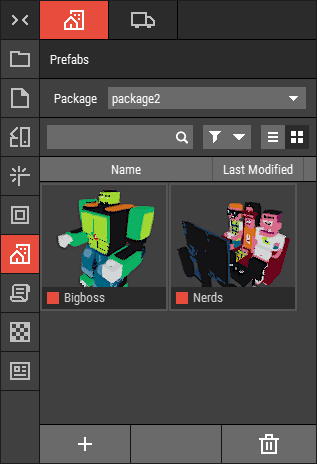 🔺 Figure 1: The Prefabs Tab.
Functions:
- Activate a Package: Use this tab to select and activate the desired Prefab Package.
- Add Prefabs: Easily add new Prefabs to the active package.
- Delete Prefabs: Remove unwanted Prefabs from the package.
- Rename Prefabs: Change the names of existing Prefabs for better organization.
Prefab Packages Tab
The Prefab Packages Tab lists all available Prefab Packages that you can install and manage.
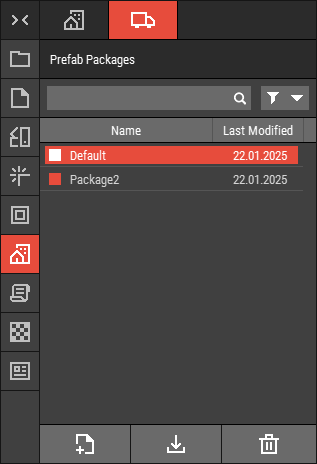 🔺 Figure 2 The Prefab Packages Tab.
Functions:
- Create New Package: Initiate the creation of a new Prefab Package.
- Install Packages: Install new Prefab Packages from your file system.
- Manage Packages: Easily delete, rename, or duplicate existing Prefab Packages to keep your workspace organized. For more information, see Working with Files.