Linear Distribute
Linear Distribute arranges the selected objects along a straight line.
It is useful when you want to place objects at regular intervals, for example in a row or along an axis.
Using Linear Distribute
To distribute objects linearly:
- Select the objects you want to distribute.
- Choose Object > Distribute > Linear Distribute.
- In the dialog, set the distribution options.
- Click OK.
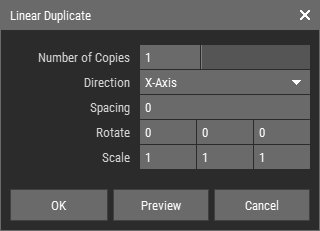 🔺 Figure 1: Linear Distribute dialog.
Options
| Spacing | Defines the distance between objects. |
| Direction | Defines the axis along which the objects are distributed. |
| Rotate | Applies an additional rotation to each object during distribution. |
| Scale | Applies additional scaling to each object during distribution. |
INFO
Rotation and scaling are applied relative to each object's pivot. For more information, see Understanding Pivot Points.