Creating Projects
To create a new project:
- Choose File > New Project.
- Fill in the New Project dialog.
- Click OK.
The new project is created and opened immediately. Foxel also creates a new Voxel Scene and opens it automatically.
New Project Dialog
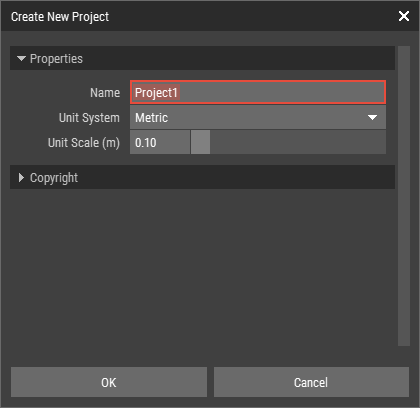
| Project Name | The name of the project. This is also used as the folder name on disk. It must follow the Naming Rules. |
| Unit System | Defines whether the project uses metric or imperial units. |
| Unit Scale | Defines the size of one unit or voxel in the project. |
| Creator | The name of the creator. |
| Copyright Status | The copyright status of the project. |
| Copyright Notice | A copyright notice for the project. |
| Copyright Info URL | A URL with additional copyright information. |
INFO
The copyright information entered here is copied automatically to new assets created in the project.