Projects and Assets Overview
Foxel stores your work in projects and assets.
A project is the main container for your work. It stores project-wide settings and contains the assets that belong to that project.
An asset is an individual file inside a project, such as a Voxel Scene, Voxel Movie, Heightmap, or Mesh Asset. You open and edit assets one at a time, depending on the task you want to perform.
This structure keeps related files together while allowing you to organize your work into smaller, focused parts.
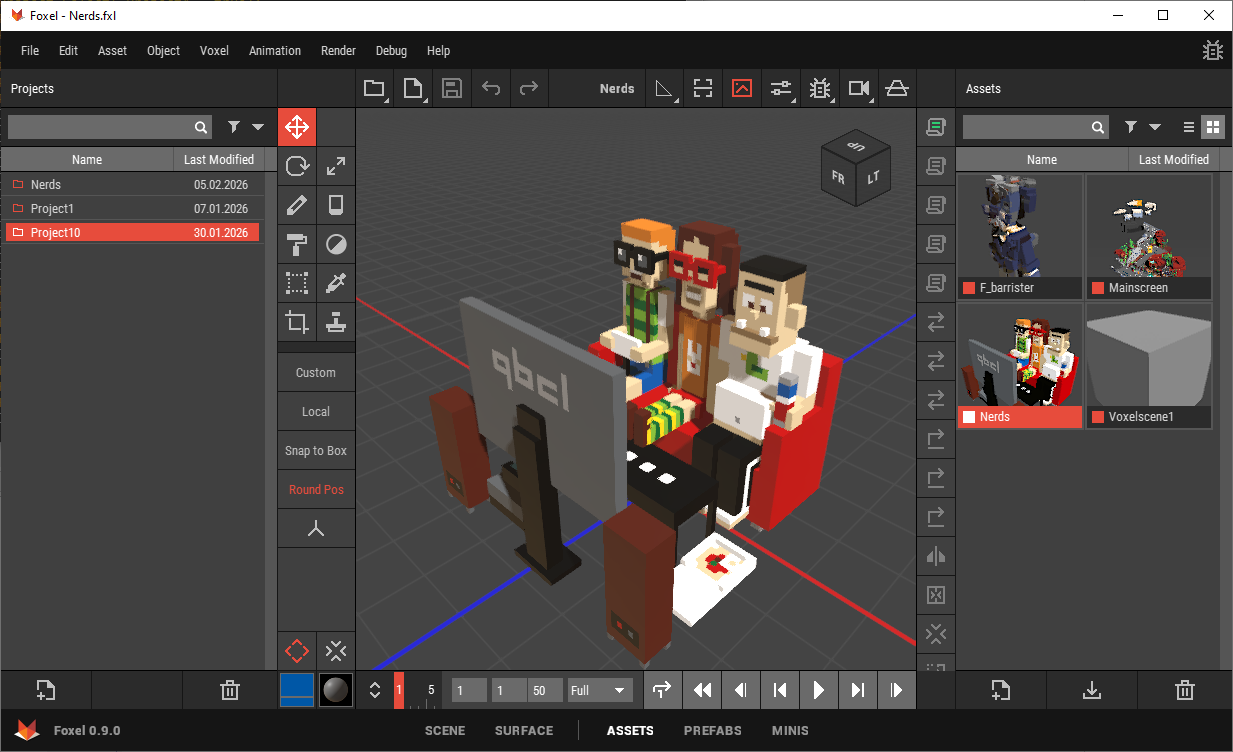 🔺 Figure 1: The Assets page is used to manage projects and assets.
Projects
A project defines the overall context for your work.
Project settings can include:
- project name,
- author and copyright information,
- and unit settings such as Unit System and Unit Scale.
Some of this information can be inherited by newly created assets, which helps keep asset metadata consistent across the project.
For more information, see:
Assets
Assets are the files you create and edit inside a project.
Each asset has its own type, properties, and purpose. For example:
- use a Voxel Scene for most modeling and scene-based work,
- use a Voxel Movie for frame-by-frame animation,
- use a Heightmap to create or edit height-based voxel content,
- and use a Mesh Asset as imported mesh data, for example for voxelization.
Assets are managed on the Assets page of the workspace, where you can create, open, rename, duplicate, import, export, sort, filter, and delete them.
For more information, see:
Importing and Exporting
Foxel allows you to import supported external files into a project and export project content to external formats.
Use Import when bringing external source data into Foxel. Use Export when you want to save Foxel content in another format for use outside the application.
For more information, see:
References
Some objects in Foxel can reference other assets instead of storing all voxel data directly.
References are useful when you want to reuse the same source asset multiple times or keep linked content synchronized across a project.
For more information, see References.
Colors and Materials
Each asset in Foxel has its own Color Palette and Material Set.
These belong to the asset itself rather than to the project as shared resources. This allows different assets in the same project to use different color and material setups.
For more information, see Colors and Materials.