LUT
A LUT or lookup table is a special texture that is used to perform color grading. To create a LUT you usually use the neutral LUT and make the same color adjustments to it that you want to apply to your render results. LUTs can be used by Camera nodes.
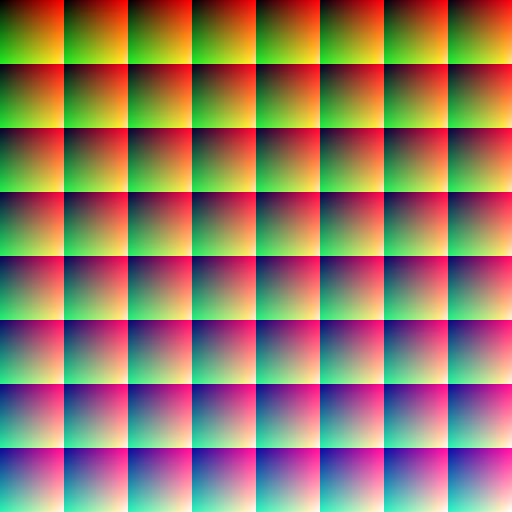 The neutral LUT
Properties
| Name | Type | Default | Access | Description |
|---|---|---|---|---|
size | 2i | 🟩❌ | Size of the LUT texture in pixels. Must be 512x512. |
Details
Type1b: boolean1c: color (integer)1i: integer1f: float1s: string2b: 2-component boolean vector2i: 2-component integer vector2f: 2-component float vector3b: 3-component boolean vector3i: 3-component integer vector3f: 3-component float vector
Access
🟩 : Property value can be read with FxFile.Get
🟥 : Property value can be changed with FxFile.Set
❌ : Property value is read-only and can't be changed
Create
LUT textures can't be created like other files, they have to be imported with FxFile.Import and the FileType 224.
lutID = FxFile.Import(224, "c:\\MyFolder\\MyLUT.png", "");Files
The default LUT is located at Programs\Foxel Studio\default.fxllut. Other imported LUTs are stored as shared files in Shared\Luts\ with the extension .fxllut.